This guide will show you how to replace an air conditioner actuator on a VE Commodore. These actuators commonly fail on Series 1 vehicles and have been seen to fail on Series 2, however a revised unit is now being used.
There are multiple actuators behind the dashboard controlling modes, temperatures and air sources. Our guide will show you how to identify the faulty actuator and the steps to replace it.
HVAC = Heating, Ventilation and Air Conditioning
Common symptoms
Vents stuck in a certain mode such as feet, face or demister.
Loud clicking noise behind the dashboard when changing modes or temperature
Heating / Cooling not working properly. Often permanently on heat or cold.
Multiple actuators can be found on both the left and right sides of the dashboard. The same actuator units are used regardless of its purpose. Let’s go through some troubleshooting steps below:
Attempt a HVAC System Relearn
It’s possible that your actuators are not actually faulty but have ‘forgotten’ which position they are in. The relearn process runs all actuators for 10-15 seconds, allowing them to calibrate their positions.
To do this first close your doors and turn the radio off. You’ll need to listen to the motors and they’re very quiet.
Turn the Ignition to ‘on’ but do not start the car. Press and hold the rear demister button until you hear the actuators moving. After 10-15 seconds the actuators will stop and the system will be calibrated. Test the air conditioner system and check if your problem still exists. Be sure to cycle through each mode and heat / cool.
If the problem still exists or you heard loud clicking noises during this process, it is very likely that an actuator is faulty. Proceed to the next step.
Identifying the Faulty Actuator
If you heard loud clicking noises during the relearn process this will help with identification. Run the relearn again and listen for the clicking. Is it on the passenger or drivers side? Listen around the footwell area on both sides and you should be able to determine where it was louder. We now need to access that actuator.
If no clicking was heard and you still suspect the actuator is at fault, visual identification may be required to see if the motor and HVAC arms are moving when the relearn is in progress. This will involve trim removal from the drivers and/or passenger side of the vehicle. We’ll run through this process below.
Note: There is an electrical interlock between the AIR RECIRC function and the HOT/COLD mixing function. If the system detects a malfunction in the AIR RECIRC, the HOT/COLD mixing actuator is disabled. This fault is indicated by the LED on the RECIRC button blinking.When you run “relearn, if the HOT/COLD actuator is not moving, this does not necessarily indicate that the actuator has failed. It might be that the RECIRC system has failed, and the interlock has disabled the HOT/COLD mixing actuator. Confirmation of the fault is indicated by the blinking LED on the RECIRC button.
It is possible to have multiple actuators fail! Keep this in mind when performing your assessment.
Step 1
System Overview
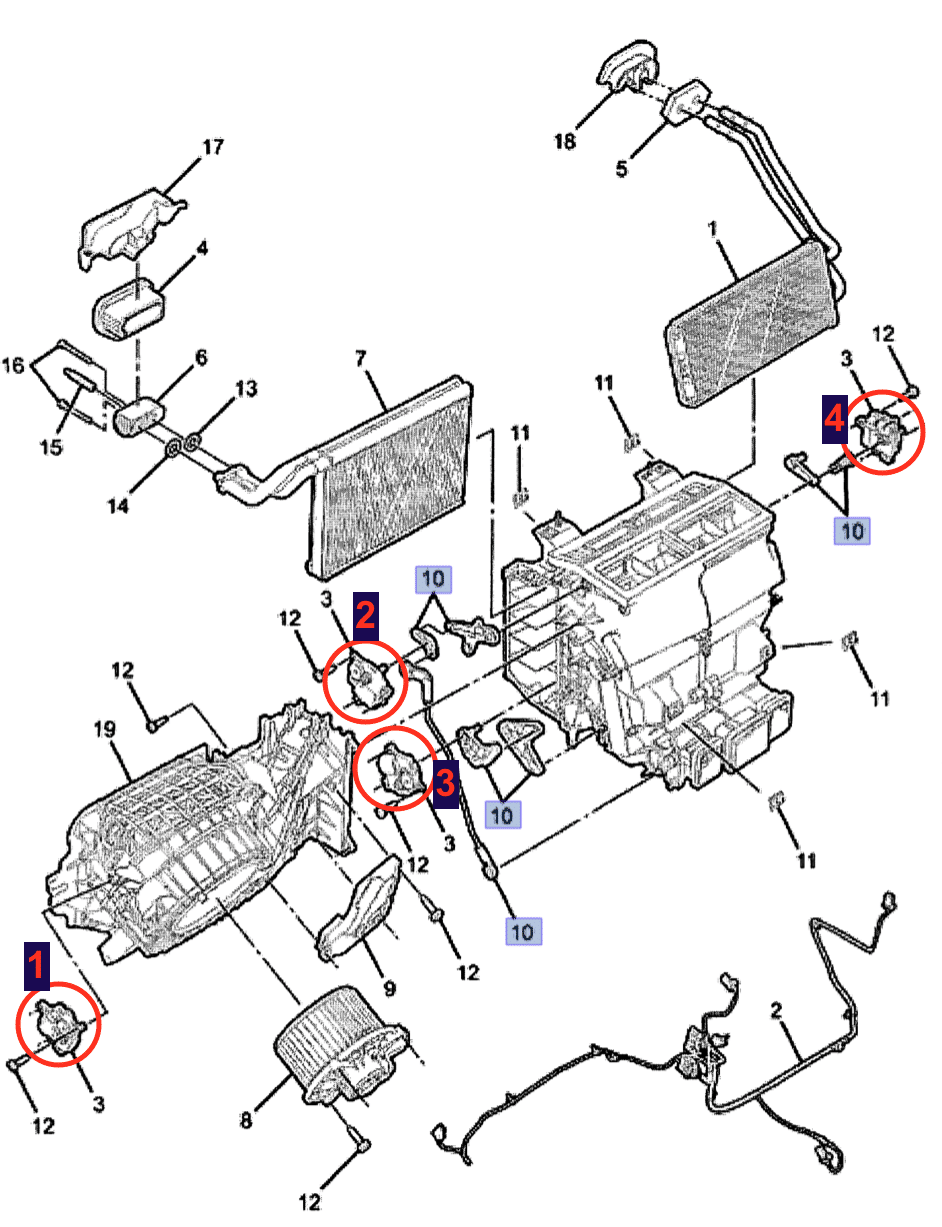
There are 4 HVAC actuators in the system, each one is identical
Air Recirculation Door Actuator – Located above the blower fan and controls the recirculation function.
Floor Vents – Upper left side of centre console (Passenger Side)
Heat/Cool – Lower left side of centre console. Uses interconnecting levers to control the butterfly valve inside the heater box
Face Vents – Upper right side of centre console (Drivers Side)
Step 2
Drivers Side Actuator
The drivers side actuator which controls the air directions between feet, face, demister is usually the faulty unit. It is often identified as the air conditioner being ‘stuck’ on feet or demister modes. The process below outlines the actuator replacement procedure.
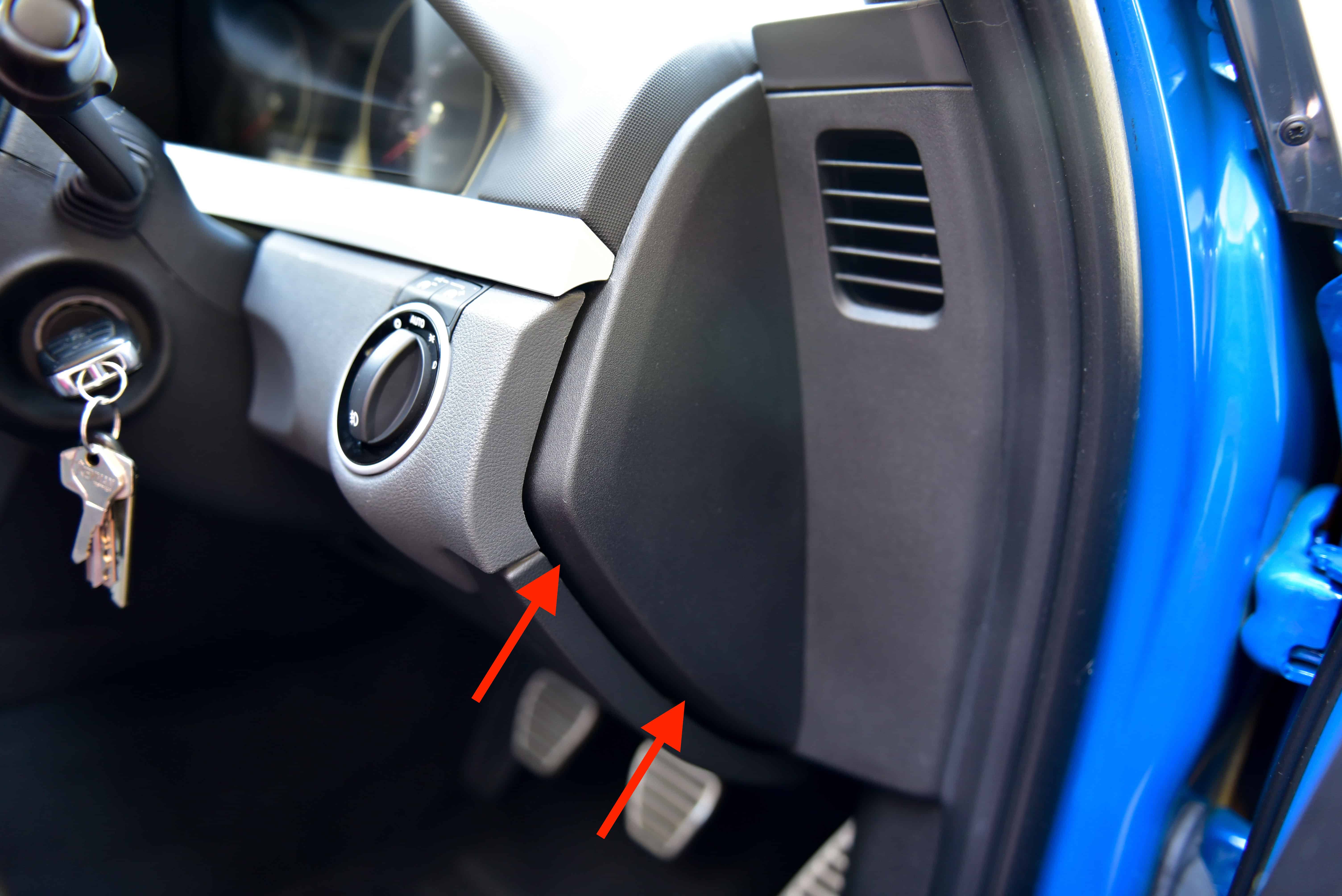
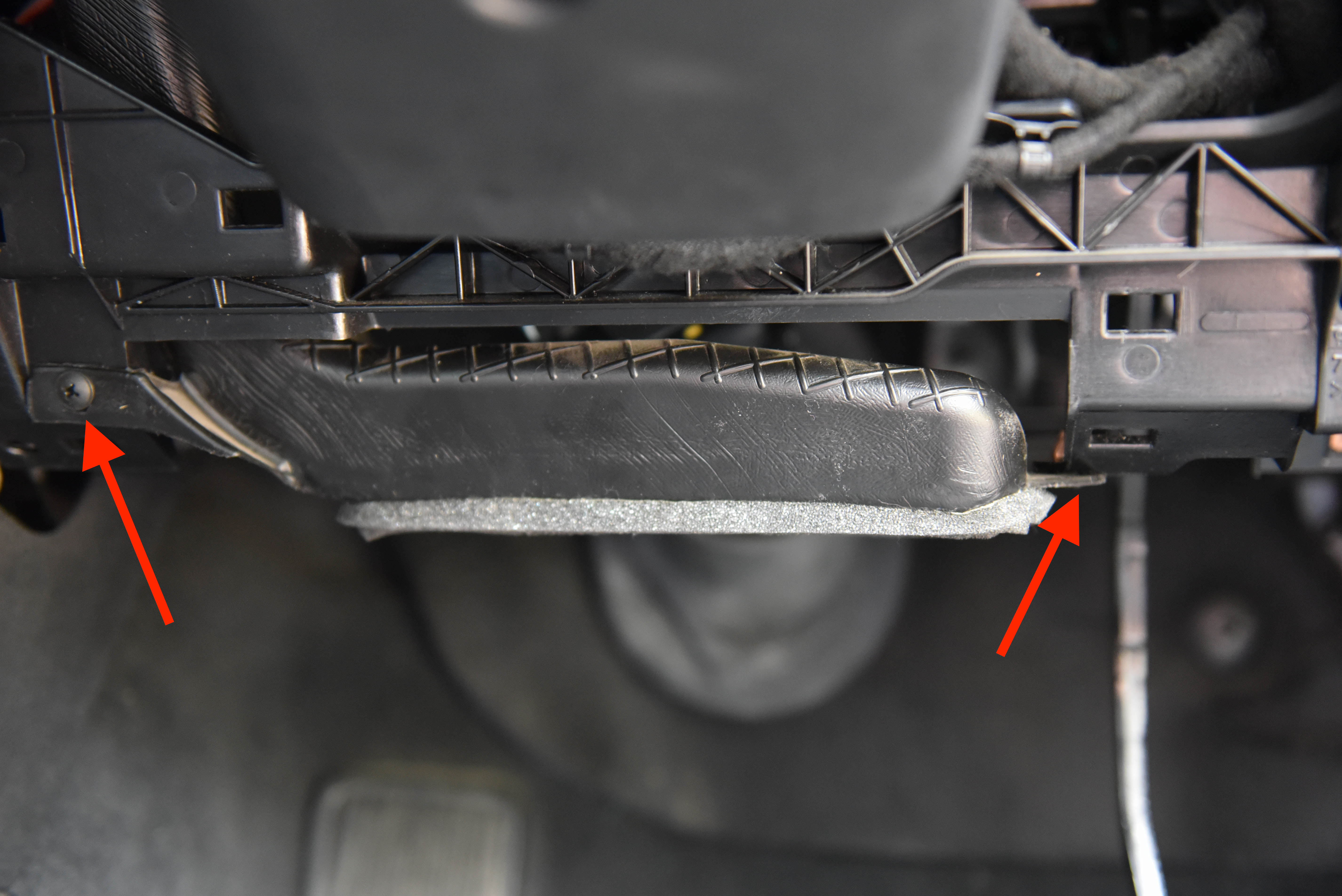
Using a trim removal tool, pop off the side trim piece. There are three clips, one on each corner.
Step 3
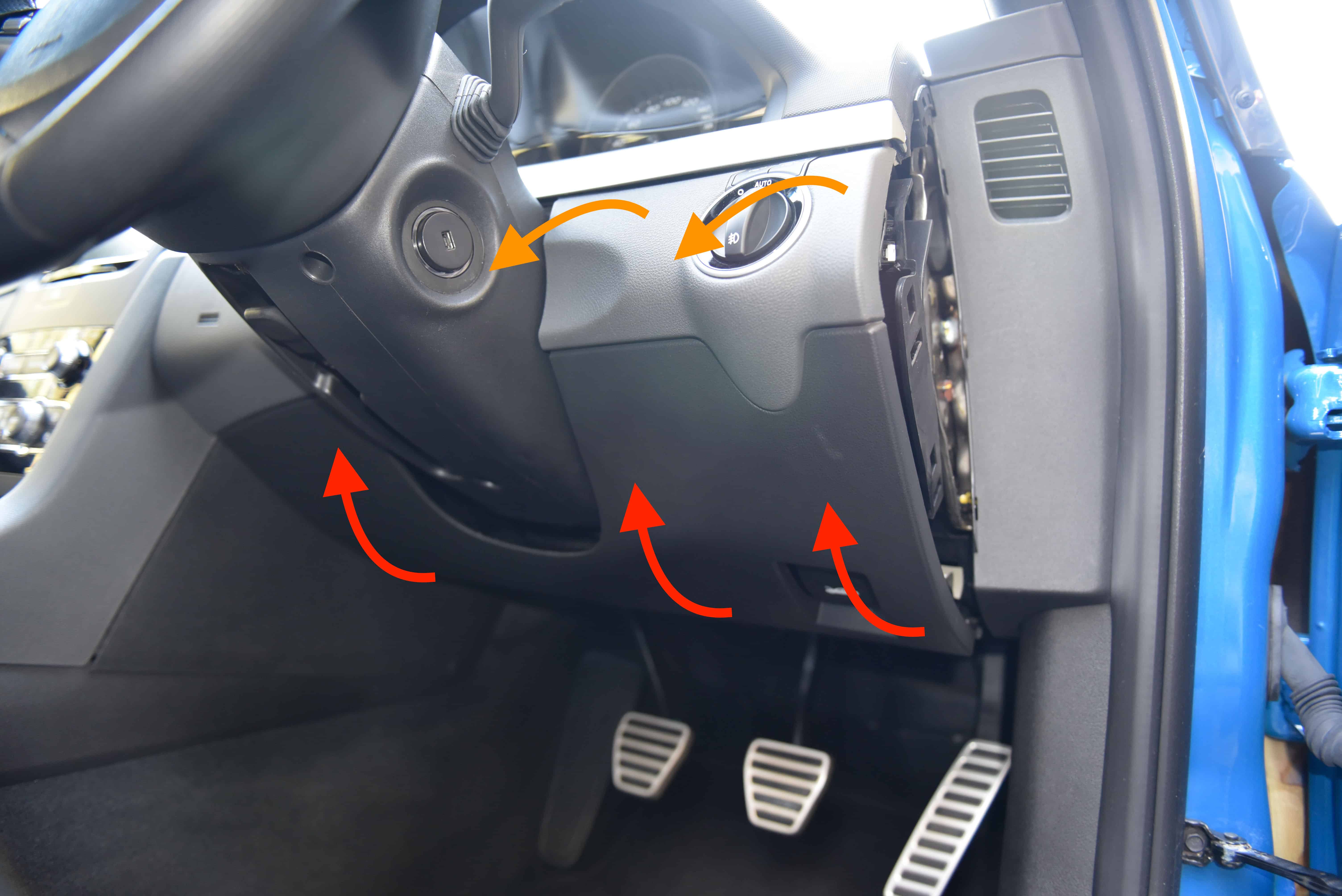
Wedge your fingers behind the lower section of the trim and firmly pull upwards as shown by the red arrows.
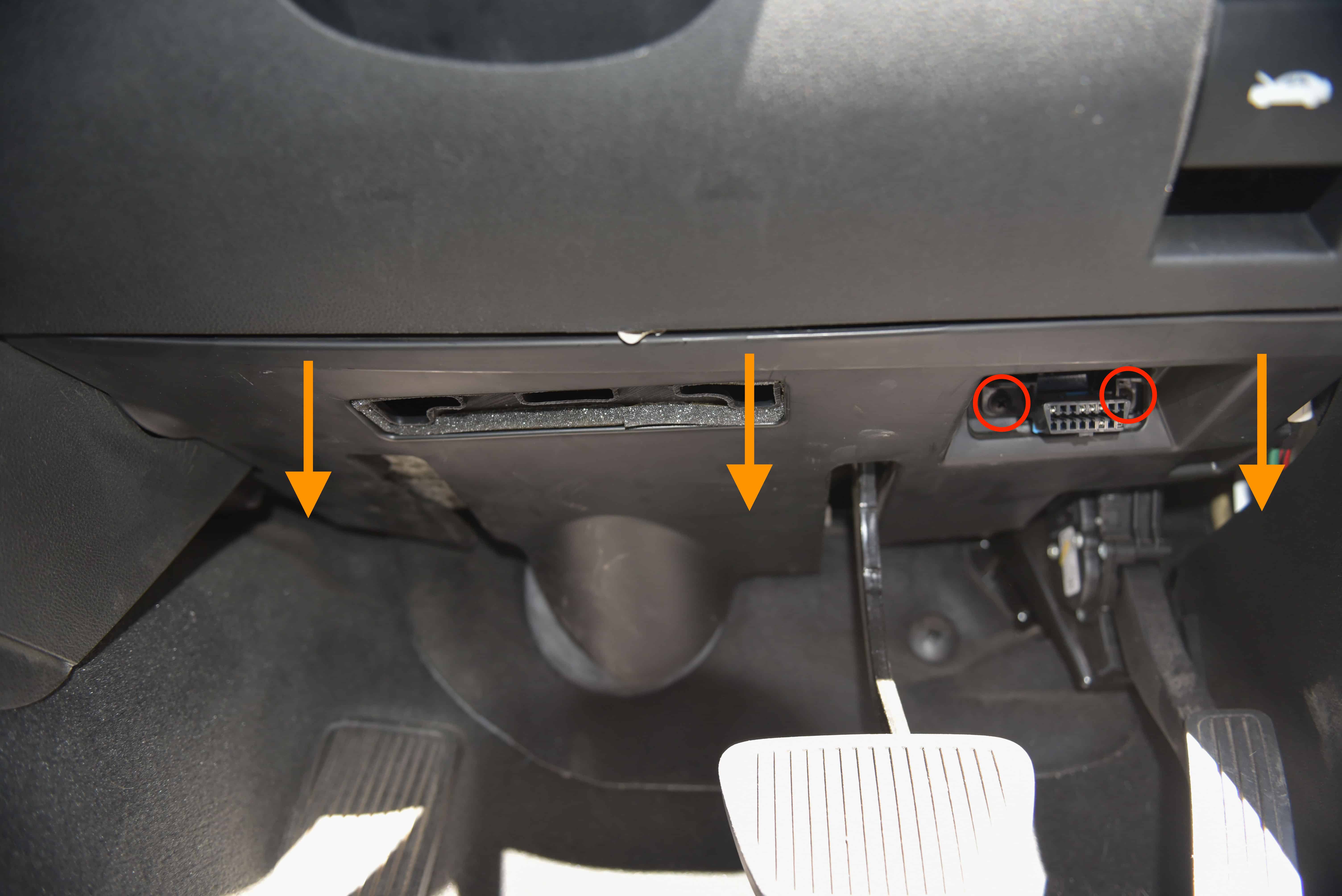
With the bottom clips released use a gentle hinging and pulling motion to release the top clips on both sides of the steering wheel. Pull away as shown by the orange arrows.
Be careful releasing the clips as the trim will drop downwards. It is quiet heavy.
Step 4
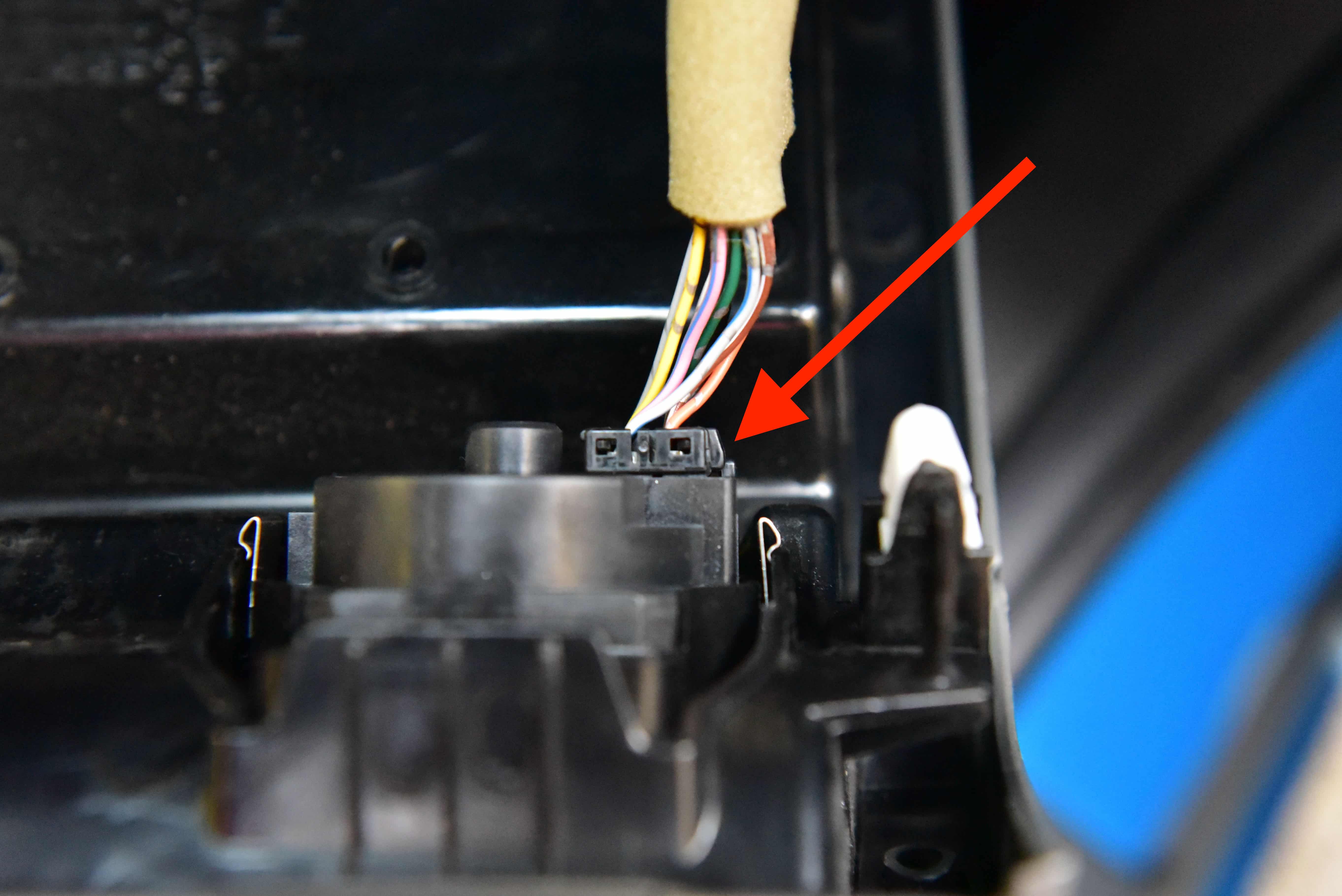
As the trim is released you will need to unplug the headlight switch. Push on the clip and unplug.
Step 5
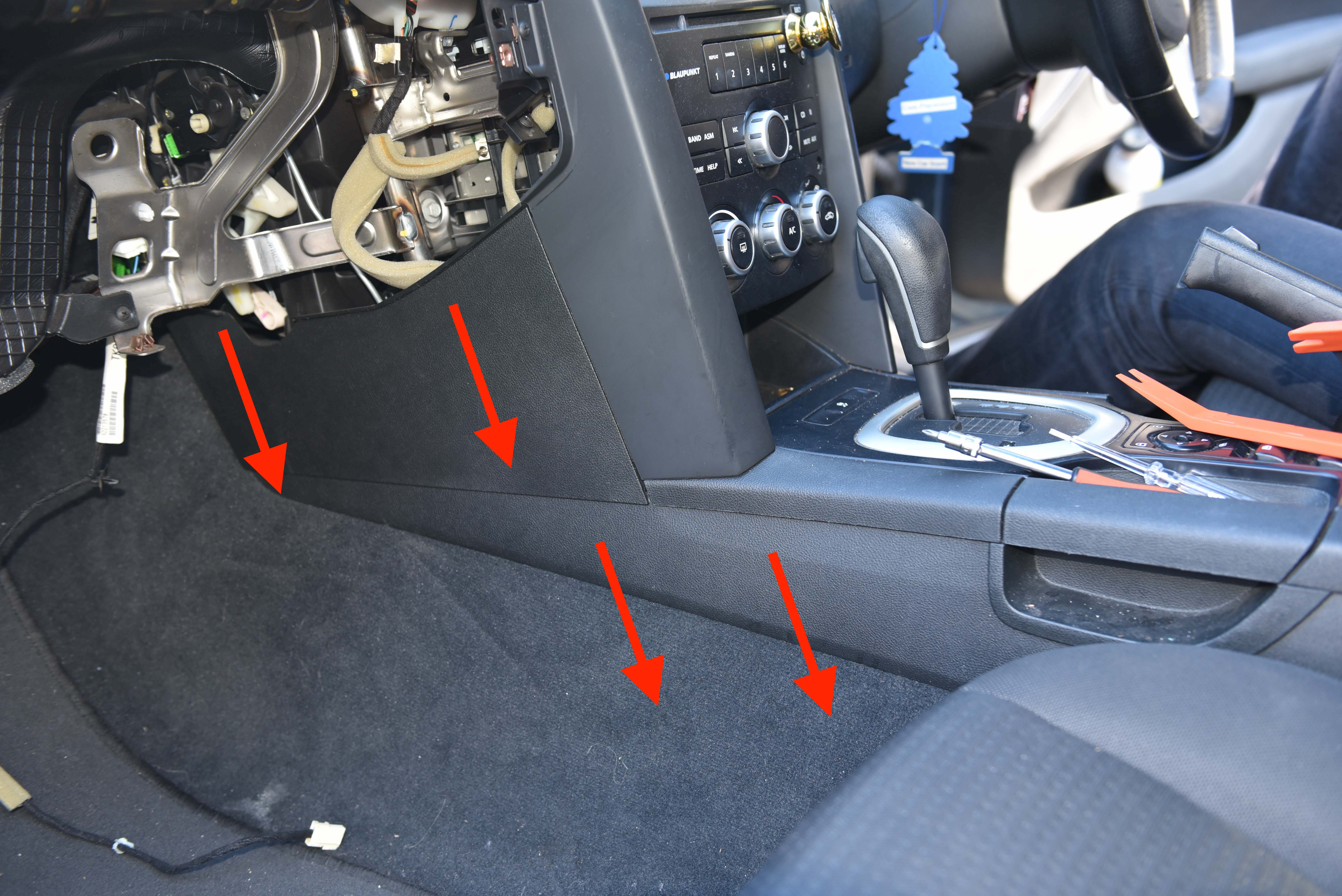
Unscrew the OBD port as circled and pull downwards on the kick panel trim. There are approximately 5 clips holding this trim in place.
Step 6
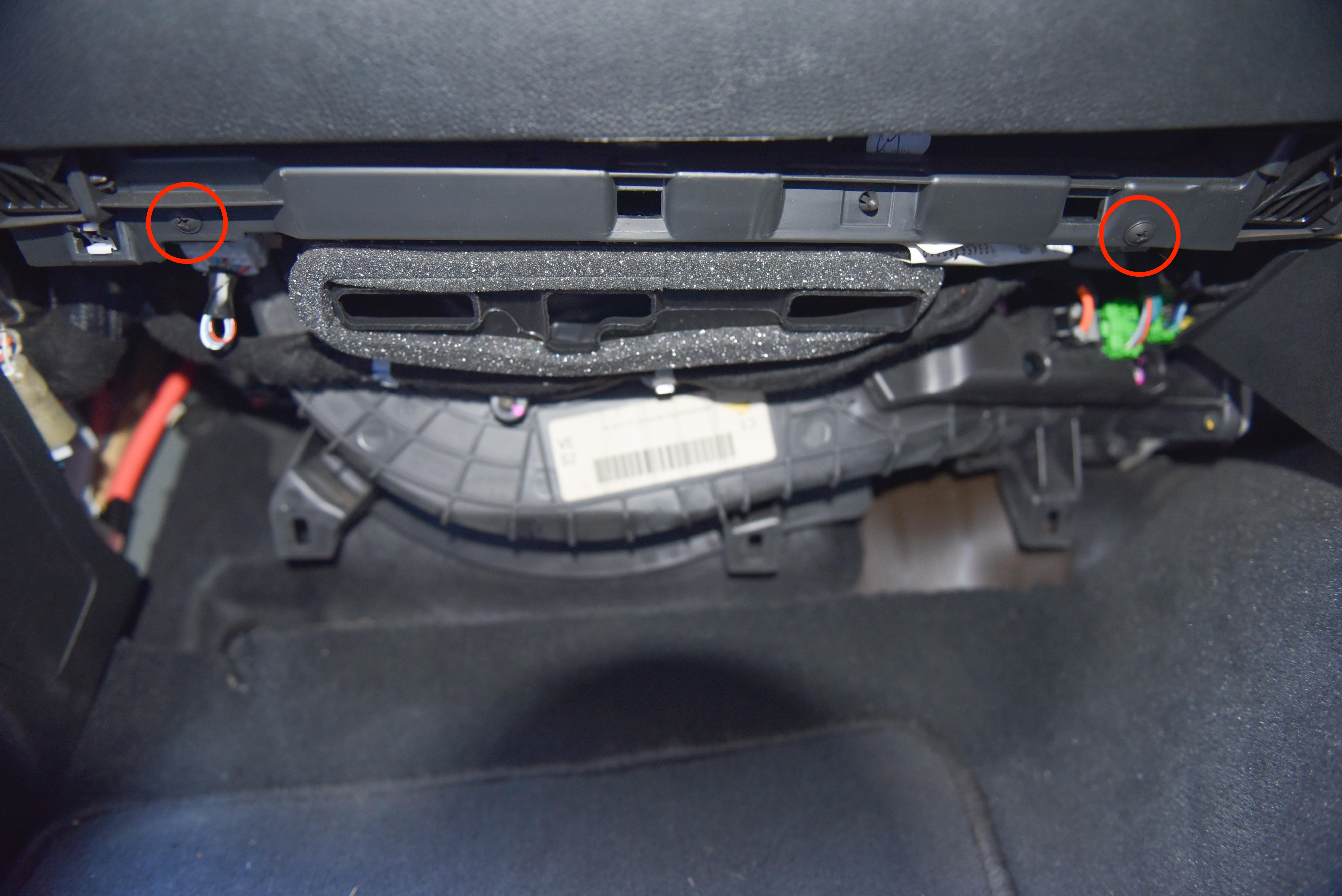
Remove the air conditioner ducting which is held in place by two screws.
Step 7
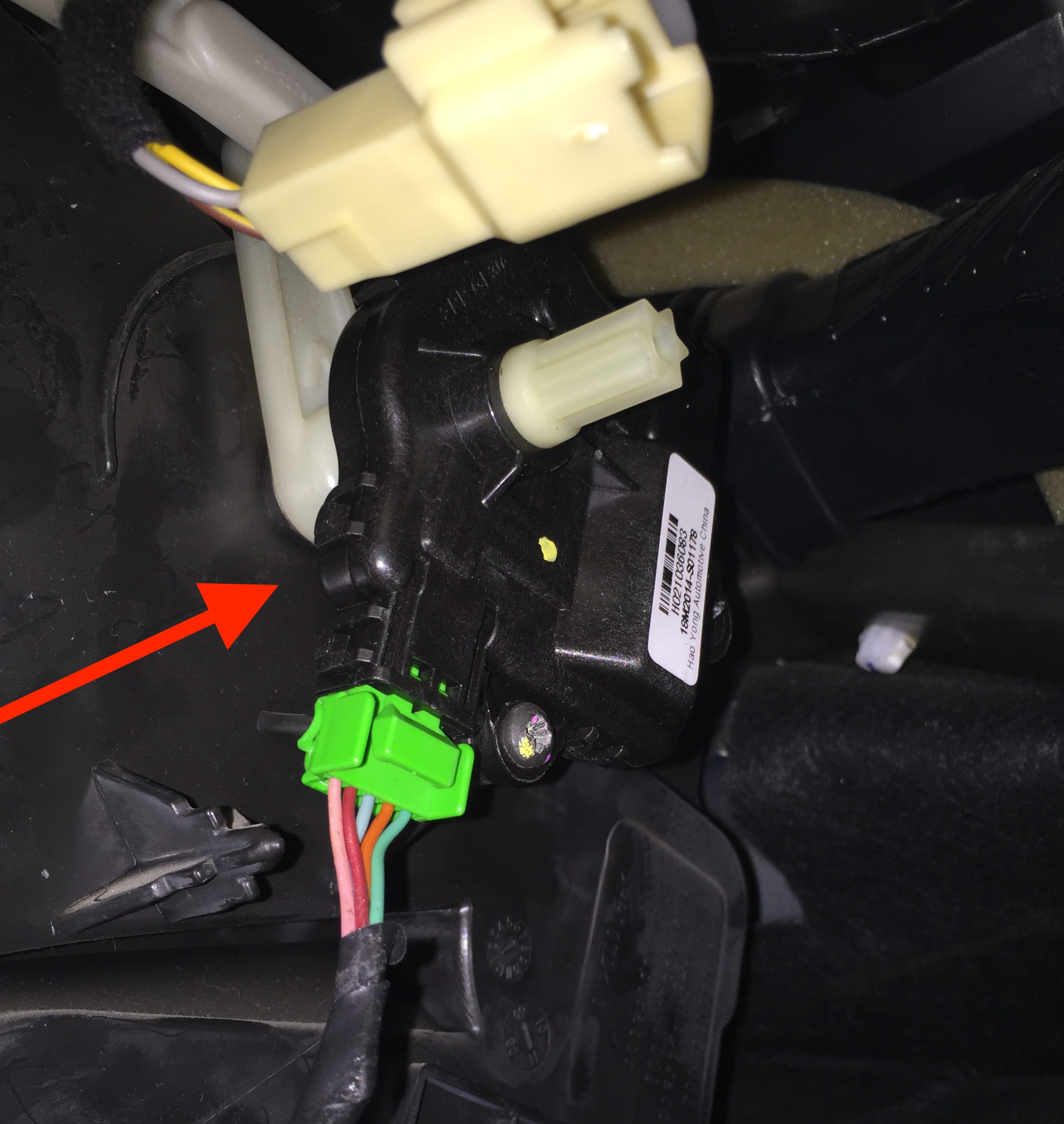
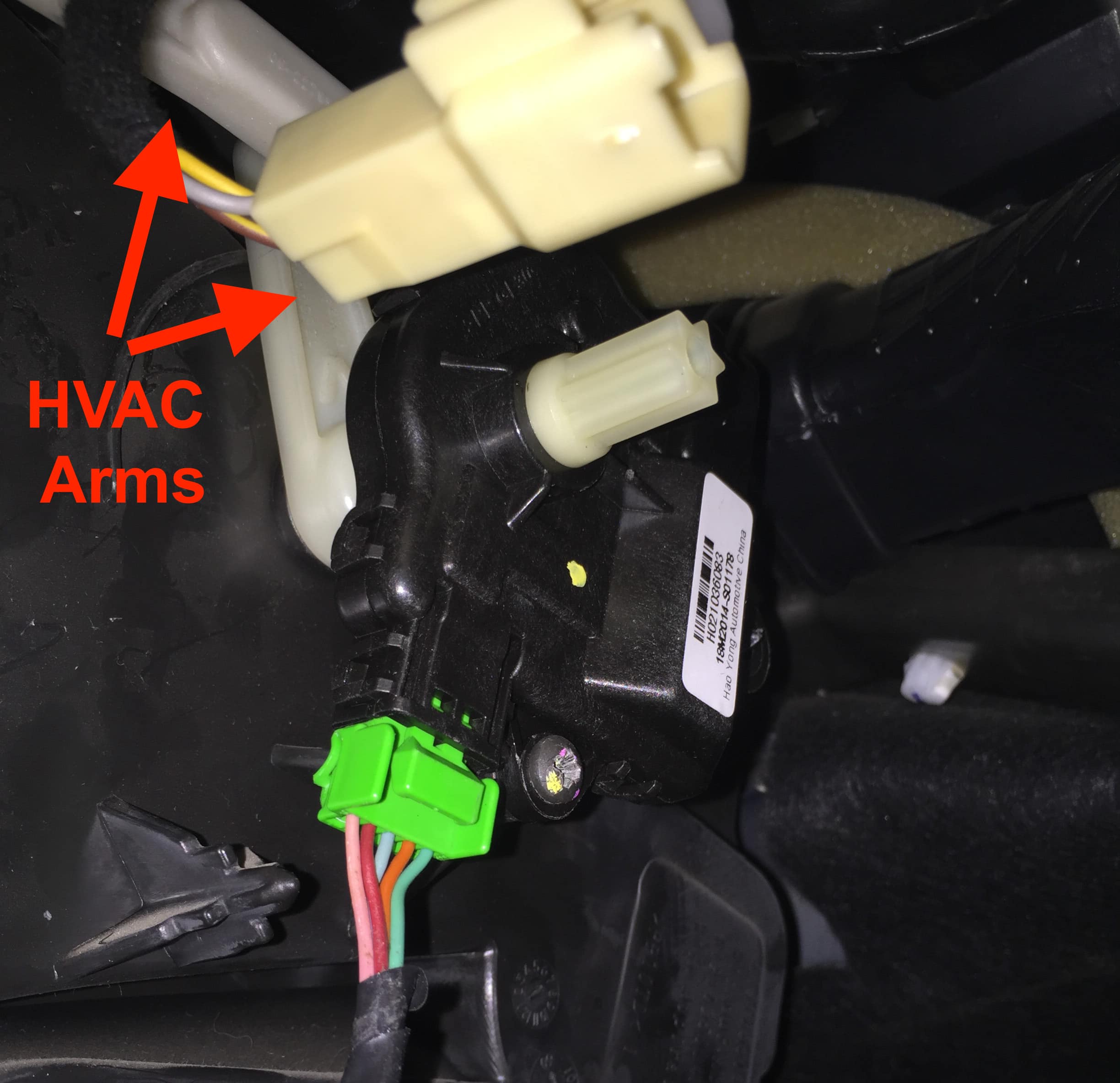
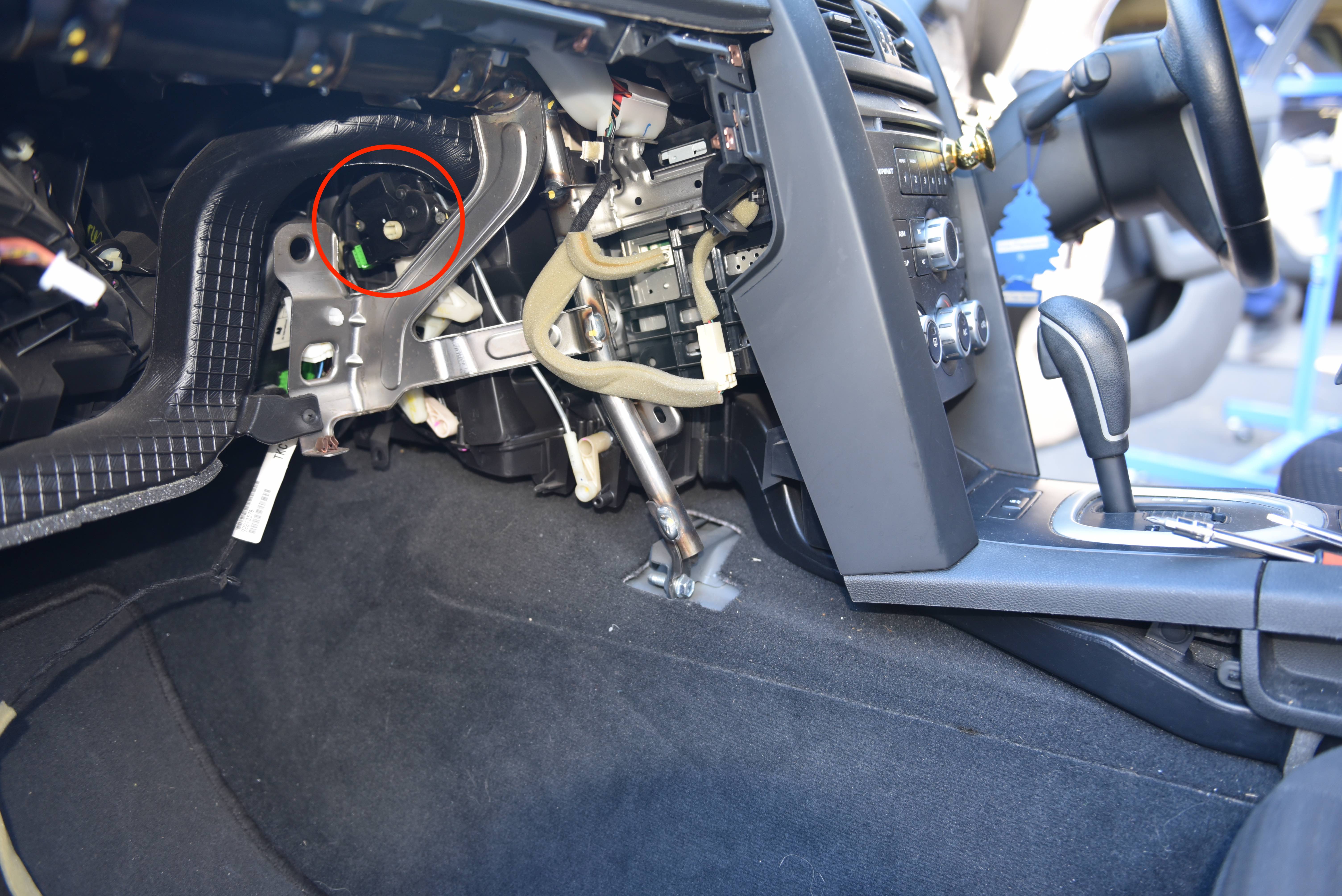
You’ll now need to locate the actuator. Look up beside the headunit and high in the dashboard your will see the actuator as pictured.
To verify the actuator is faulty, run the relearn process as described previously. If you feel or hear the actuator clicking, or the HVAC arms are not moving, the actuator is probably at fault and will need to be replaced.
Step 8
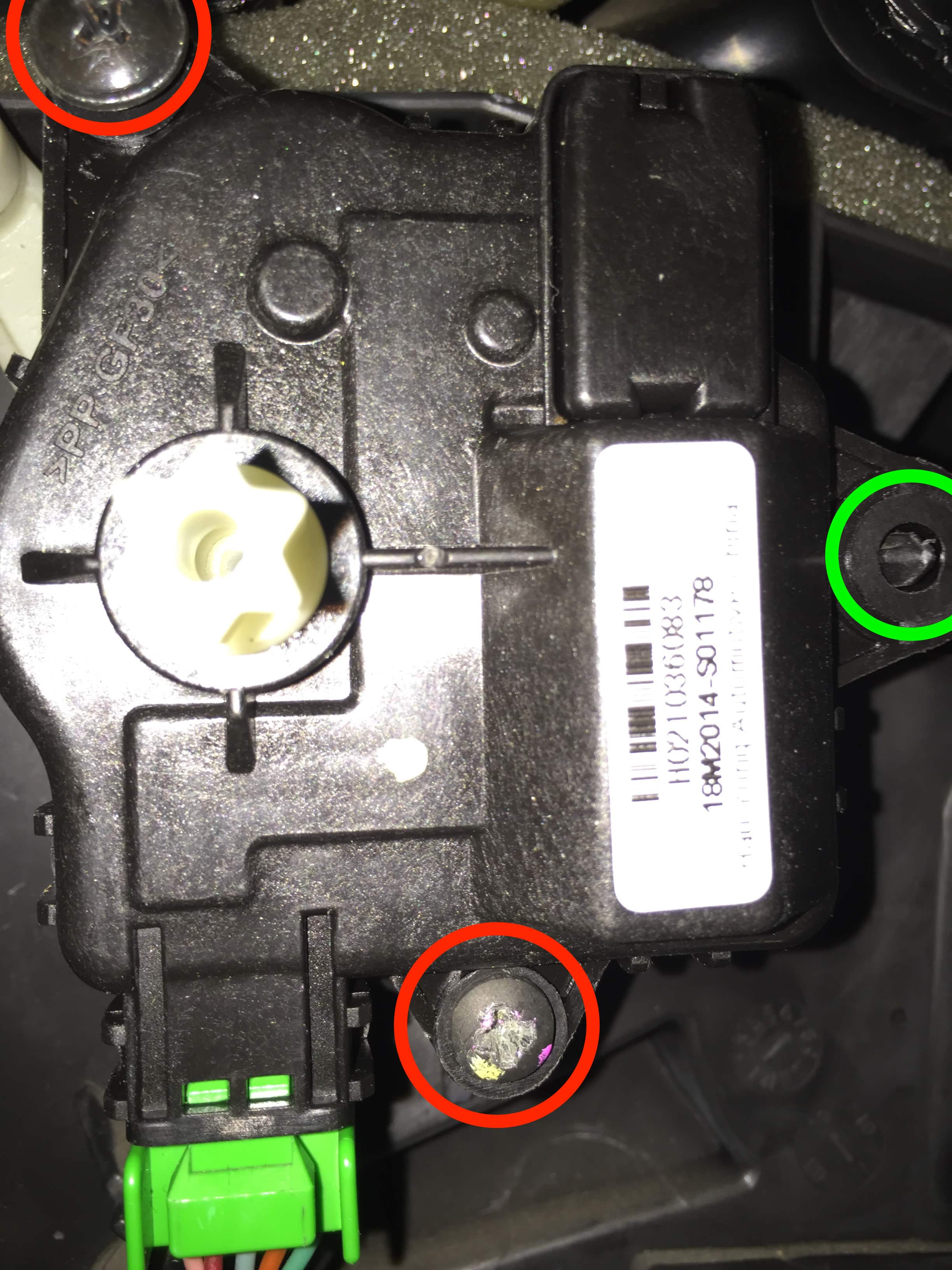
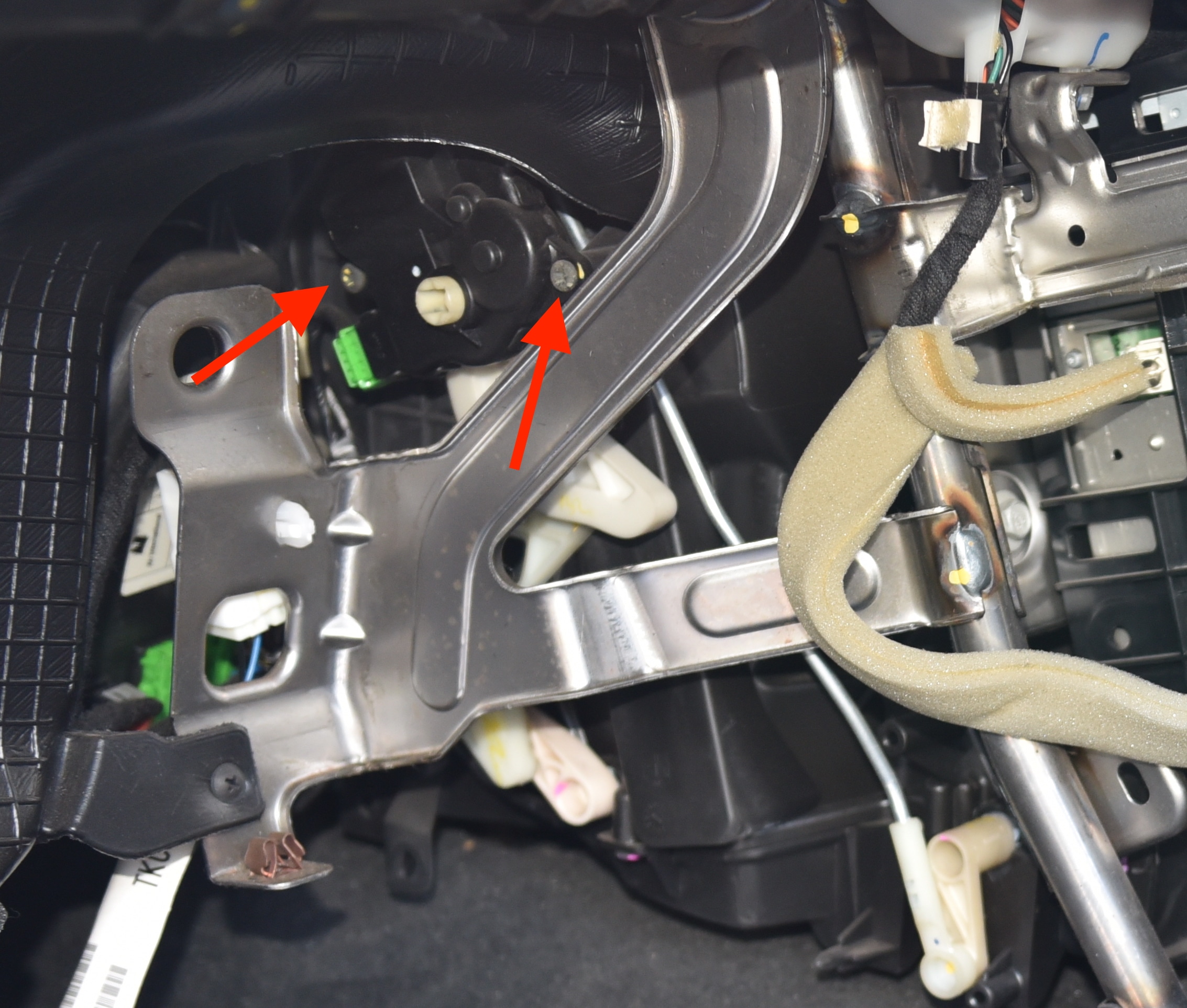
Replacing the actuator is a very difficult process due to the location in the vehicle. There are two screws (Red circles) holding the actuator in place, and one alignment pin (Green circle) to ensure the actuator is in the correct position. There is also a green wiring plug you will need to disconnect.
The bottom screw is relatively easy to access with a small stubby screwdriver or a ratcheting screwdriver set.
The top screw is extremely difficult to remove as there is limited space to operate. You may find yourself lying upside down in the footwell and painstakingly turning the screw millimetre by millimetre.
Once both screws are removed the motor will simply pull off from the HVAC arm. The HVAC arm may fall off, so take note of its orientation and position to simplify reinstallation.
Firstly reinstall any HVAC arms that may have fallen loose, then slide the arm onto the actuator – It can be in any position. Next place the actuator onto the alignment pin and begin to install the lower screw.
Commence installation of the upper screw, checking alignment and position of the actuator and HVAC arms.
Once both screws are tightened, connect the wiring harness and perform a HVAC relearn. You should now see the actuator moving smoothly without any clicking noises. When the relearn is complete, test operation between feet, face and demister. Keep in mind we have removed the ducting on the drivers feet!
Step 10
Passenger Side Actuator
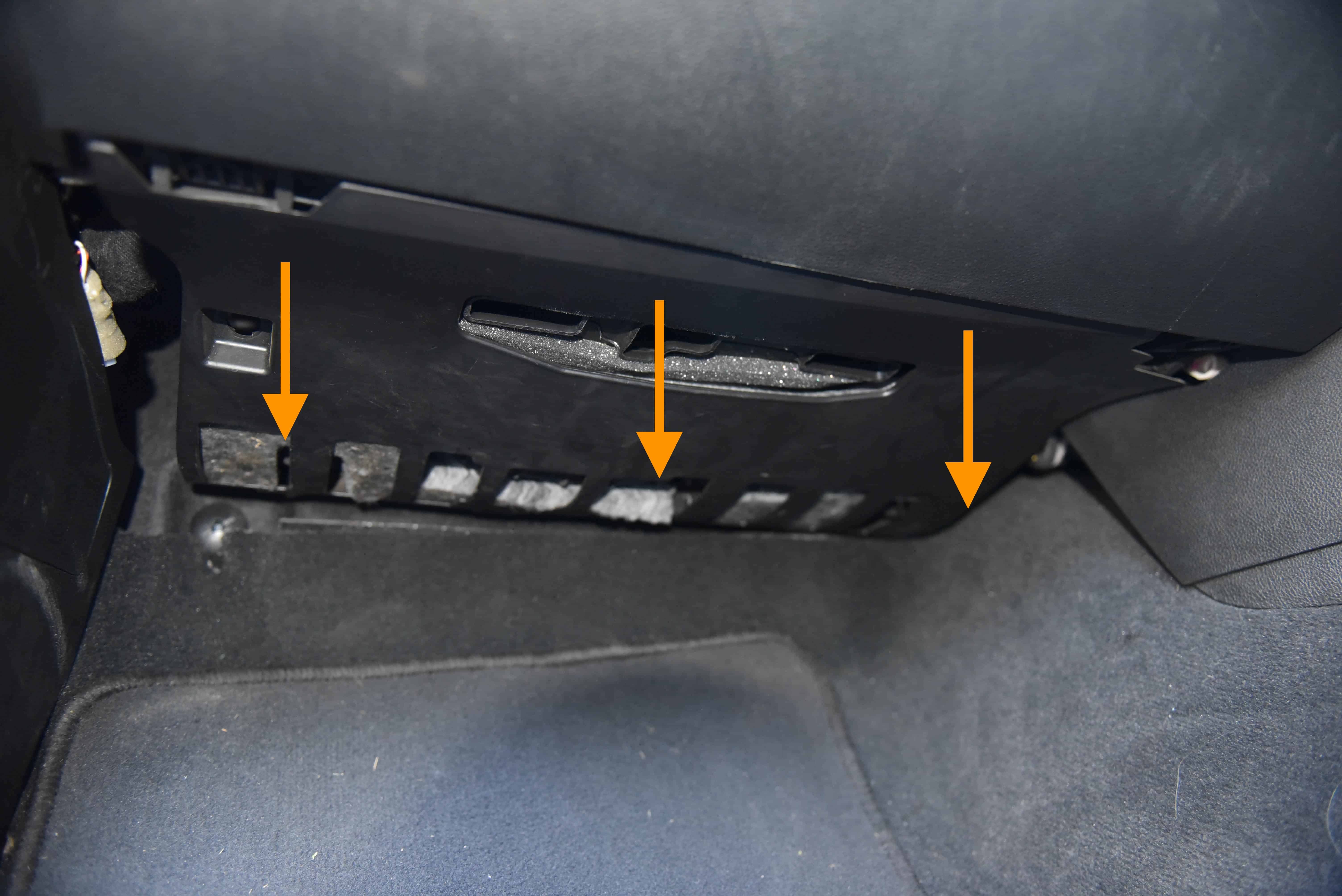
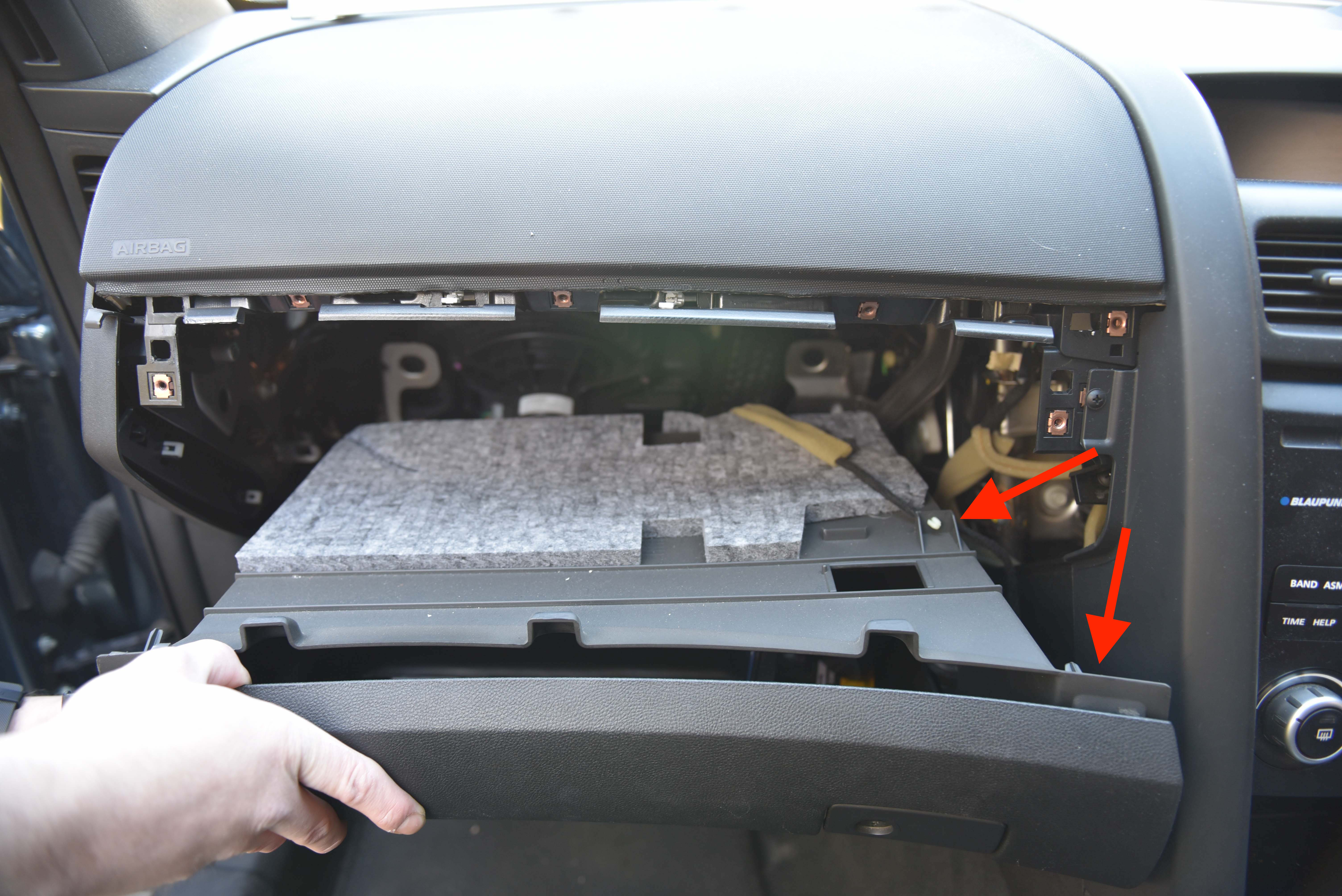
Remove the kick panel below the glove box. This is held in place by five clips.
Step 11
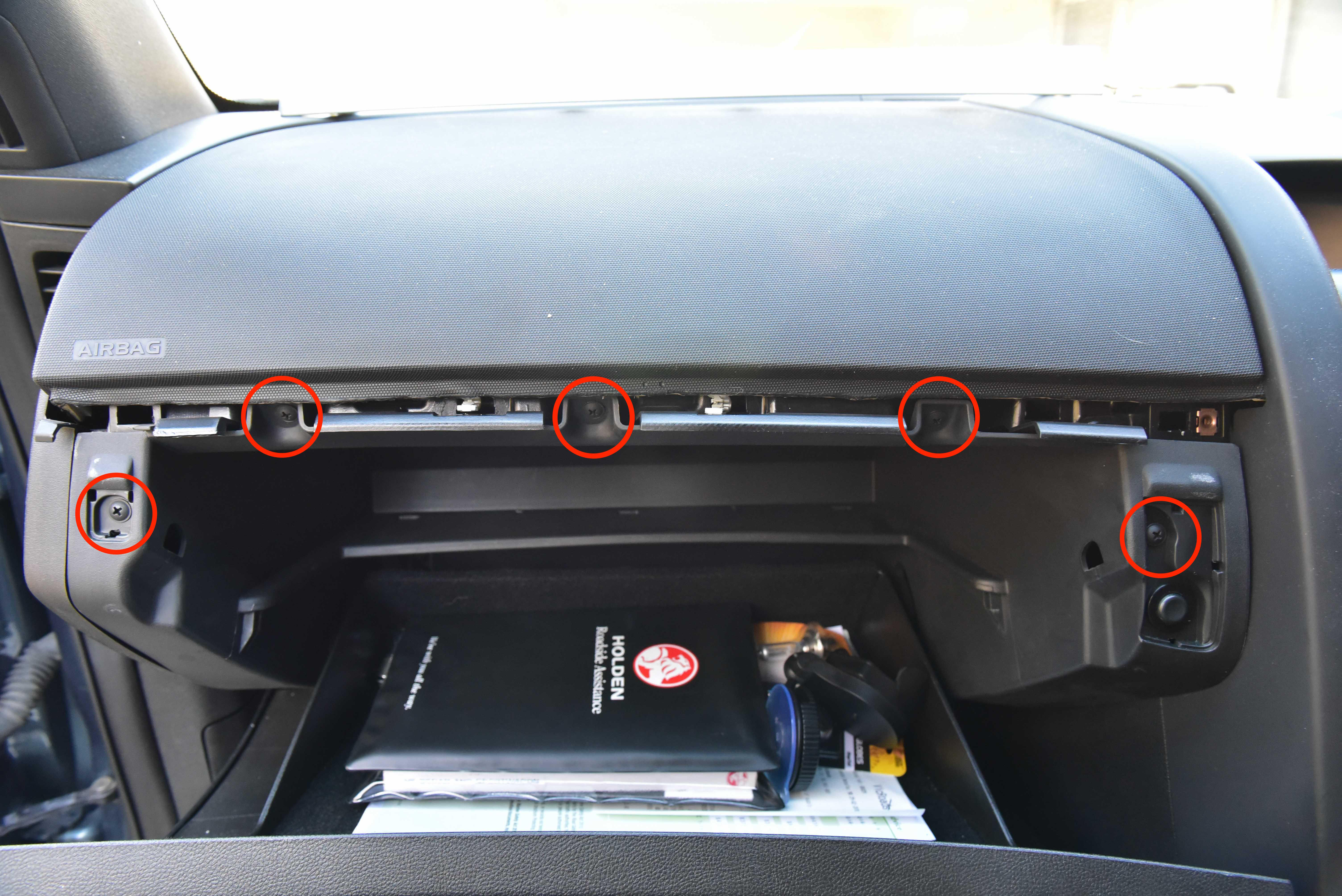
Remove the two screws which are now visible.
Step 12
Remove the five remaining screws. The far left and right screws are hidden behind small covers.
Step 13
The glovebox will now be loose. simply pull outwards and disconnect the boot release plug and loom.
Step 14
Pull outwards and down the side trim piece. It will unclip.
Step 15
Now we can see the passenger side actuator.
To verify the actuator is faulty, run the relearn process as described previously. If you feel or hear the actuator clicking, or the HVAC arms are not moving, the actuator is probably at fault and will need to be replaced.
Step 16
Remove the faulty actuator by unplugging the electrical connector, unscrewing the two screws and pulling the drive gear off the HVAC arm. This actuator is much easier to access compared to the drivers side.
Replace the actuator with a new unit. Screw into place and reconnect the wiring loom.
Once both screws are tightened, connect the wiring harness and perform a HVAC relearn. You should now see the actuator moving smoothly without any clicking noises. When the relearn is complete, test operation between feet, face and demister. Keep in mind we have removed the ducting on the passengers feet!
Did you find this guide helpful? Consider sharing it to help other car enthusiasts
Can anyone point me in the direction of some pics of the recirculation (1) actuator? I think thats the issue with mine but cant seem to see it. Cheers guys
Hi all, just want to thank the team behind this website for the brilliantly written and illustrated guide.
My MY10 VE SV6 sportswagon lost the ability to heat 12 months ago which didn’t bother me much through last summer. By the time winter rolled around it became a huge problem and a google search led me to running the re-learn function. Once i tried that i heard a lot of clicking from behind the dash and then from then on it was fixed on hot air through the demister vents only. Again this was fine for a while until summer came back around.
A desperate google search thankfully led me to this guide. A quick read through the steps and through a lot of the comments left me pretty certain my problem was the drivers side actuator. After receiving the part and about an hour or so’s worth of tinkering the problem is 100% solved and i dead set couldn’t be happier.
Thanks again team, and keep up the good work!
Brilliant,
Thanks guys, you made the strip, diagnosis and repair a breeze. Excellent how to guides. And I did support you be purchasing the parts from you as well.
Keep up the excellent work.
Thanks.



This Post Has 222 Comments
Can anyone point me in the direction of some pics of the recirculation (1) actuator? I think thats the issue with mine but cant seem to see it. Cheers guys
Hi all, just want to thank the team behind this website for the brilliantly written and illustrated guide.
My MY10 VE SV6 sportswagon lost the ability to heat 12 months ago which didn’t bother me much through last summer. By the time winter rolled around it became a huge problem and a google search led me to running the re-learn function. Once i tried that i heard a lot of clicking from behind the dash and then from then on it was fixed on hot air through the demister vents only. Again this was fine for a while until summer came back around.
A desperate google search thankfully led me to this guide. A quick read through the steps and through a lot of the comments left me pretty certain my problem was the drivers side actuator. After receiving the part and about an hour or so’s worth of tinkering the problem is 100% solved and i dead set couldn’t be happier.
Thanks again team, and keep up the good work!
Brilliant,
Thanks guys, you made the strip, diagnosis and repair a breeze. Excellent how to guides. And I did support you be purchasing the parts from you as well.
Keep up the excellent work.
Thanks.
Good guide, just want to add some tips of advice.
1. Buy a 90 degree ratcheting screwdriver set before trying to get the top drivers side screw out! Its absolutely impossible without one.
– This is what I used and some bluetak on the end to hold the screw in place!
KINCROME MINI RATCHET BIT SET – 10 PIECE K5014
https://www.totaltools.com.au/media/catalog/product/1/5/157722-kincrome-mini-ratchet-bit-set-10-piece-k5014-hero.jpg?optimize=medium&bg-color=255,255,255&fit=bounds&height=615&width=615&canvas=615:615
2. Also I pulled the faulty actuator apart and you can see where its failed.
The gear that connects directly to the motor has failed and is missing its teeth to engage with the motor screw. Thanks cheap chineesium plastic!